Simply framing in Chase online experiences presented potential challenges.
Navigation
Web pages have their own unique way of going back or closing out, called the modal header. If framed in, this modal header would create redundancy with the native header. If a customer tapped the back arrow on the web modal header, they would navigate to web experiences instead of native.
Put simply, a customer could navigate the entire chase.com from within their native app.
Visual
Mobile web and native experiences used similar but slightly different design languages that risked a customer knowing they were viewing a webpage from within their native app. Mobile web pages also contained more information density and complexity than native pages.
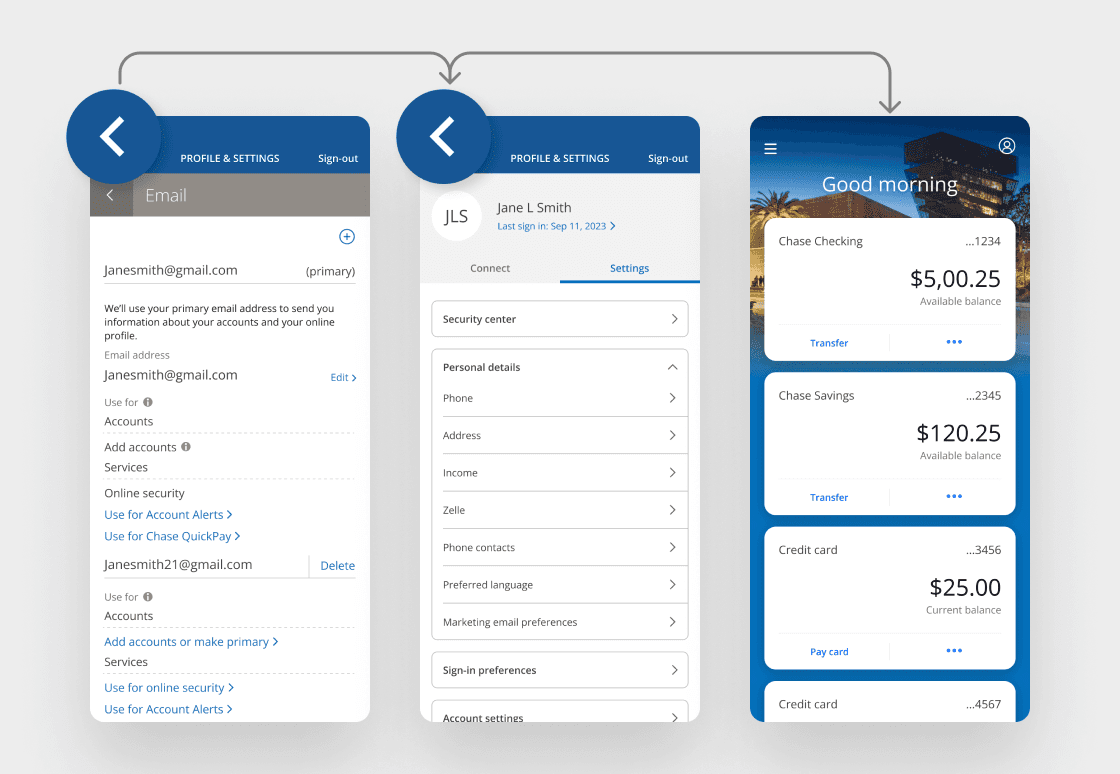
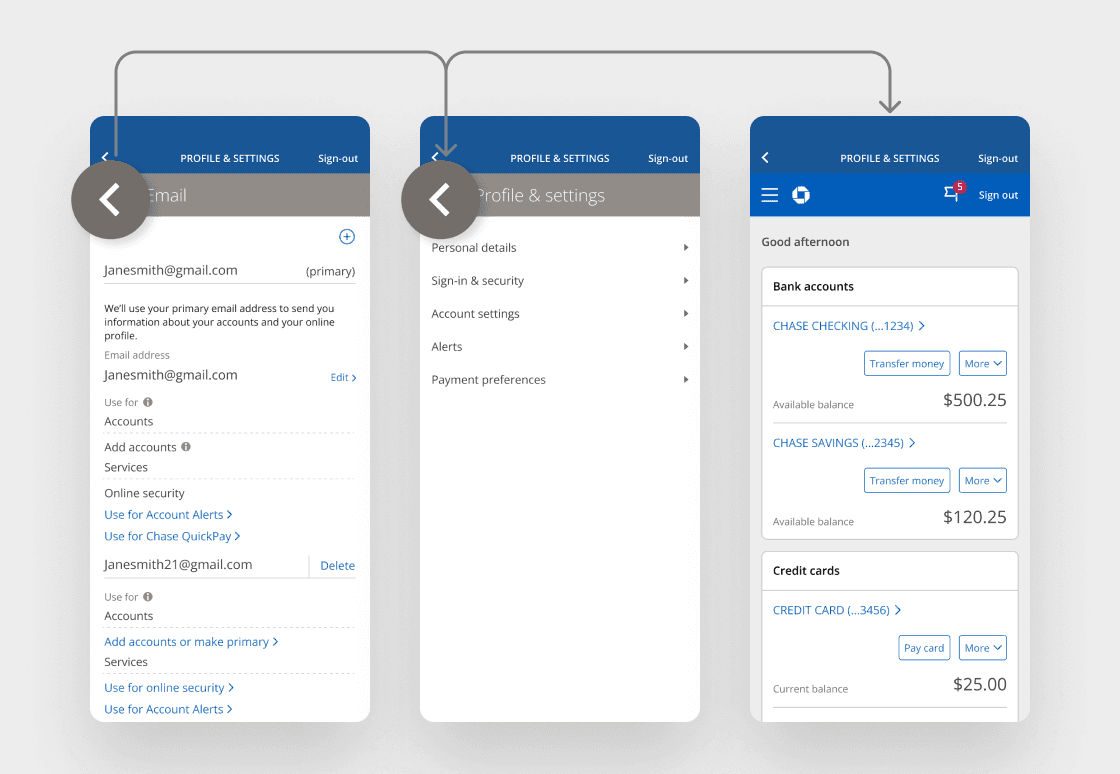
The Chase mobile web and Chase Mobile® app experiences had pattern differences that needed to be aligned. If web pages were to be framed into the mobile app, they needed to be in pattern parity in order for them to be indistinguishable from native pages.
To align the two systems, I performed a full audit of both design systems, and identified what elements in each system would need to be updated for hybrid solutioning to be affective.
Typography
Typography for mobile web experiences should follow the Chase Mobile app patterns.
Input fields
Input fields for mobile web experiences should follow the Chase Mobile app patterns.
Color palette
Colors should be visually consistent and compliant. All buttons on the Chase Mobile app should follow Chase Online patterns.
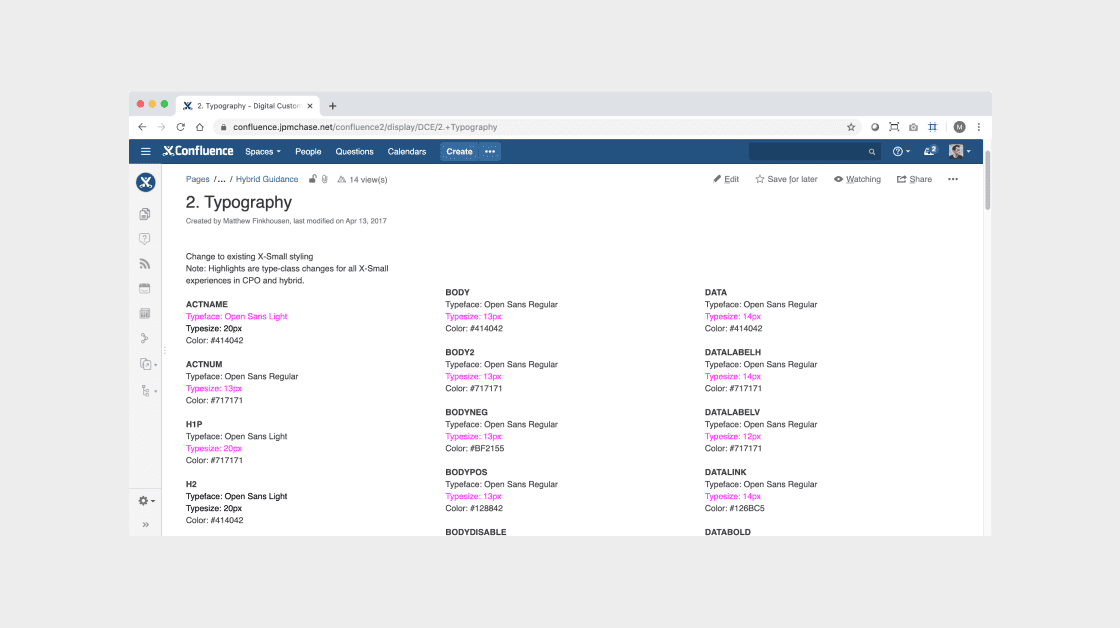
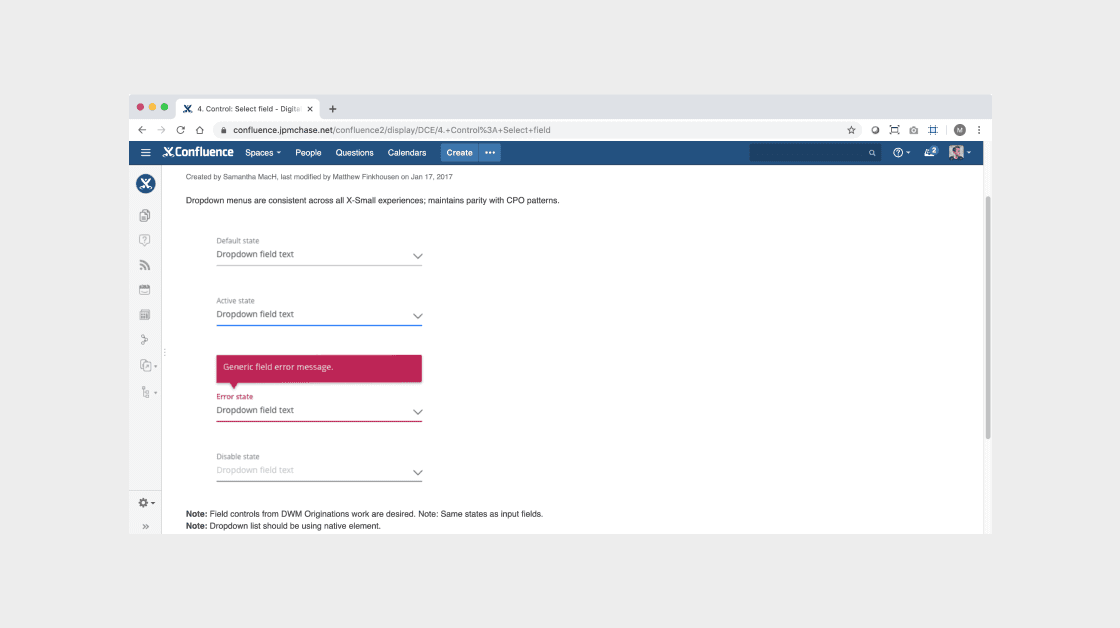
I created guideline documentation on Confluence to allow for easy access by all of Chase's digital product teams and stakeholders.
Examples – Send money, Zelle, Pay card, view and search transactions.
Examples – Edit email address, change phone number, update password, view credit score, FAQs.
Examples – Terms and conditions, mvp experiments, temporary partnership promotions